Reading pens can turn printed words into spoken audio, digital text, or translations, making them useful for students, language learners, professionals, and readers with dyslexia.
We selected 10 scanning and translation pens with features such as OCR, text-to-speech, built-in dictionaries, language support, and wireless connectivity. Use the guide below to narrow the choices by compatibility, reading assistance, and everyday convenience.
Best 10 Reading Pens for Printed Documents Picks for 2026
Best Connected Scanner
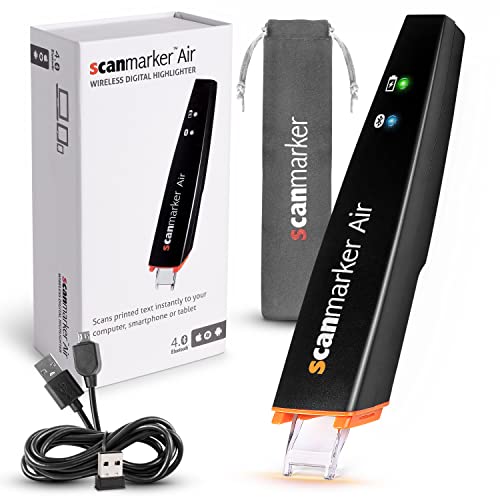
- Scans text into connected devices
- Translates over 140 languages
- Includes text-to-speech support
Best For: Students and professionals who already use a computer or mobile device
Best AI Reading Companion
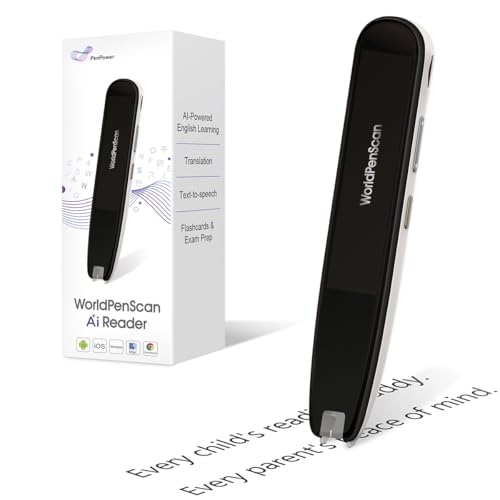
- Explains difficult text with Quick AI
- Includes dictionary and text-to-speech tools
- Creates insights and reading quizzes
Best For: Children and learners needing extra comprehension support
Best for Multilingual Reading

- Translates over 100 languages
- Reads text aloud with highlighting
- Exports scans as digital files
Best For: Language learners, travelers, and auditory readers
Best Standalone Learning Features

- Scans text onto its built-in screen
- Offers six reading levels and adjustable speech
- Stores and exports TXT, DOC, and PDF files
Best For: Families and learners wanting adjustable reading and AI study tools
Best Offline OCR Reader

- Offline OCR and read-aloud support
- 5MP Photo OCR and file export
- Includes case, earphones, and PDF software
Best For: Dyslexia support, language learning, and privacy-conscious scanning
Best Translation-Focused Reader
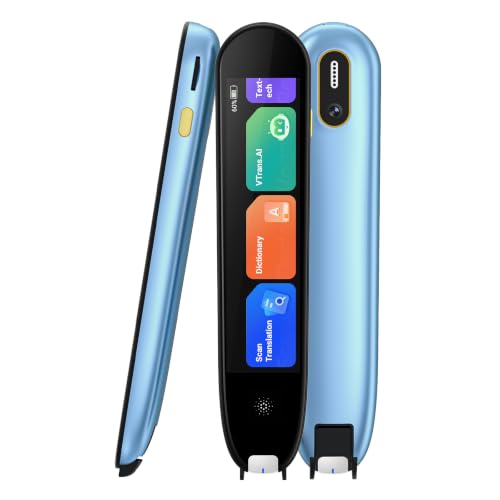
- Online translation across up to 150 languages
- Offline scanning and translation support
- Up to eight hours of continuous use
Best For: Language study, travel, and two-way spoken translation
Best Classroom Companion

- Scan-to-read support with word highlighting
- Records lectures and syncs extracted text
- 142 online and 10 offline languages
Best For: Classroom learning, ESL study, and lecture note capture
Offline Translation Pick

- Translates online in 142 languages and offline in 10
- Reads scans aloud and highlights words on-screen
- Extracts key text from documents and images
Best For: Language learners and travelers needing read-aloud and offline translation features
Study and Recording Tool

- Provides read-aloud scanning and text extraction
- Adds notes, memos, and voice recording for study or meetings
- Supports 142 online and 10 offline translation languages
Best For: Students and professionals who need scanning, organization, and recording in one device
Best Connected Scanner – Scanmarker Air
The Scanmarker Air is a practical choice for anyone comparing reading pens for printed documents and wants scanned text to appear on a connected computer or mobile device. Its Bluetooth connection, OCR support, translation features, and text-to-speech tools make it useful for study, editing, and accessibility support.
Best For: Students, professionals, dyslexic readers, and users who want to scan, translate, edit, or hear printed text through a connected device.
Pros:
- Scans printed text into the web app and compatible applications such as Microsoft Word.
- Supports multilingual OCR and translation in over 140 languages.
- Offers real-time text-to-speech and Bluetooth portability.
- Includes a one-year warranty and lifetime technical support and software updates.
Cons:
- Requires a computer or mobile device to operate.
- Bluetooth 4.0 or higher is required for compatible wireless connections.
Choose the Scanmarker Air if you prefer a lightweight scanner that sends text to your existing devices rather than working as a fully standalone reader.
Best AI Reading Companion – WorldPenScan AI Reader
The WorldPenScan AI Reader stands out among reading pens for printed documents by combining scanning with explanations, reading support, and AI-powered learning tools. It can help readers understand difficult words, sentences, and ideas while keeping them engaged with the original page.
Best For: Children, growing readers, ESL learners, and students who need vocabulary, comprehension, or reading assistance.
Pros:
- Provides age-appropriate explanations through Quick AI when connected.
- Offers AI Reading Buddy features, including extra insights and reading quizzes.
- Includes offline text-to-speech, translation, and a built-in dictionary.
- Supports English, Spanish, and Chinese reading needs.
Cons:
- AI features require an internet connection.
- Enhanced dictionaries and translation are available when connected.
This is a strong fit when comprehension support matters as much as capturing printed text, particularly for younger or developing readers.
Best for Multilingual Reading – Scanmarker Pal
The Scanmarker Pal is a versatile option for shoppers seeking reading pens for printed documents with strong translation and audio features. It scans printed text, translates more than 100 languages, reads text aloud, and can export scanned content for notes or digital records.
Best For: Language learners, travelers, auditory learners, and users seeking reading support for dyslexia or other learning difficulties.
Pros:
- Translates over 100 languages, with offline support for English, Spanish, French, German, and Italian.
- Reads scanned text aloud while highlighting words on the screen.
- Exports scanned text as a digital file for notes and document storage.
- Includes wireless earbuds and supports Bluetooth headphones.
Cons:
- Requires a compatible Windows, macOS, or Linux system for Bluetooth or USB use.
- Offline translation is limited to the listed supported languages.
Consider the Scanmarker Pal if translation, text-to-speech, and easy listening are higher priorities than standalone operation.
Best Standalone Learning Features – NEWYES AI Pen
The NEWYES AI Pen is a feature-rich choice among reading pens for printed documents, with on-device scanning, text-to-speech, translation, and storage. Its adjustable reading settings and six reading levels make it adaptable for children, students, adults, and readers with dyslexia.
Best For: Families, students, dyslexic readers, and users who want scanning, translation, AI study tools, and document export in one pen.
Pros:
- Scans printed text directly onto the pen’s screen.
- Offers adjustable reading speed, pause time, and British or American accents.
- Supports translation across 112 languages and includes a 5MP camera for photo translation.
- Provides 16GB storage and exports to TXT, DOC, and PDF formats.
Cons:
- Its listed weight is 10 ounces, making it heavier than some compact scanner pens.
- Some AI capabilities and device syncing may depend on Bluetooth or compatible systems.
The NEWYES AI Pen is appealing when you want a broader learning toolkit, flexible reading controls, and built-in storage rather than a basic text scanner.
Best Offline OCR Reader – IRISPen Reader 8
The IRISPen Reader 8 is a strong choice for reading pens for printed documents when offline OCR and read-aloud support are priorities. It scans text line by line, converts it to editable text, and can read it aloud in five languages without Wi-Fi.
Best For: Readers with dyslexia, language learners, and users who want offline text-to-speech and document capture.
Pros:
- Offline OCR supports 48 languages, while text-to-speech works in English, French, German, Italian, and Spanish.
- Stores scanned text for file export and includes a 5MP camera for offline Photo OCR.
- Lightweight 67g design with color touchscreen, protective case, and USB-C earphones.
- Includes voice recording, adjustable reading speed, and Readiris PDF software.
Cons:
- The SD card is not included.
- Charging takes approximately three hours.
- Its read-aloud language support is narrower than its OCR language support.
Choose this model if privacy, offline operation, and dedicated reading assistance matter more than broad online translation features. Its combination of OCR, text-to-speech, storage, and recording makes it particularly versatile for printed study materials.
Best Translation-Focused Reader – VORMOR AI Translator Pen
The VORMOR AI Translator Pen combines scanning, translation, and text-to-voice features in a compact device. Among reading pens for printed documents, it is geared toward users who need quick translation and pronunciation support for study, work, or travel.
Best For: Students, language learners, travelers, and users who need two-way translation with spoken output.
Pros:
- Scans up to 3,000 characters per minute and can process a line of text in about one second.
- Supports online scan translation in 75 languages and real-time voice translation in 150 languages.
- Offers offline scanning and translation, plus a Chinese-English electronic dictionary.
- Includes a 2.3-inch IPS screen, adjustable voice speed, and an 820mAh battery rated for up to eight hours of continuous use.
Cons:
- Online translation features require network access.
- Its supplied notes do not specify storage capacity or included accessories.
- The product is more translation-oriented than document-management-oriented.
This is a practical pick when translation is the main reason for buying a scanning pen. It provides spoken and on-screen translations, while offline support and the long-rated battery add flexibility for classrooms and travel.
Best Classroom Companion – MOIDYOU Scan Translation Pen
The MOIDYOU Scan Translation Pen is a versatile option for reading pens for printed documents, combining scan-to-read, translation, recording, and note-sync features. Its lightweight design and left- or right-hand mode make it suitable for classroom, homework, and travel use.
Best For: Students, ESL learners, users with learning difficulties, and anyone who wants scanning plus classroom recording.
Pros:
- Supports online translation in 142 languages and offline translation in 10 languages.
- Provides scan-to-read pronunciation support and highlights words on the screen.
- Can extract, edit, and sync scanned text to a phone in 52 languages.
- Includes photo translation, intelligent recording, Bluetooth headphone support, and a lightweight 70g design.
Cons:
- The product is not suitable for blind users.
- Vertical Japanese text cannot be recognized.
- Wi-Fi or Bluetooth connectivity is available, but some features may depend on connection access.
Consider this model if you want more than basic read-aloud scanning. Its recording and text-sync functions can help with lectures and notes, while offline languages and compact construction support use away from home.
Versatile OCR Companion – VORMOR Scan Reader Pen
For shoppers comparing reading pens for printed documents, this VORMOR model combines OCR scanning, read-aloud support, translation, and text transfer in a compact device. It can scan text from books, newspapers, labels, digital screens, and other surfaces, then read or translate the captured content.
Best For: Students, language learners, travelers, and users with dyslexia or other learning difficulties who want scanning, translation, and recording in one pen.
Pros:
- Scans text in 55 languages and supports online two-way voice translation in 112 languages.
- Reads scanned words or sentences aloud and can transfer important text to a computer through USB.
- Includes photo translation, a 3.5-inch touch screen, recording, Bluetooth connectivity, and Collins and FLTRP dictionaries.
- Supports left-handed use through a reverse scanning-direction setting.
Cons:
- Some translation functions require an online connection.
- The feature set may be more extensive than needed for basic document reading.
- The supplied details do not specify battery life or onboard storage capacity.
This is a flexible choice if you want a reading pen that goes beyond printed-word lookup. Its combination of OCR, audio output, dictionaries, translation, and recording makes it especially useful for study and multilingual situations.
Offline Translation Pick – S65pro Reading Pen
This S65pro is designed for shoppers seeking reading pens for printed documents with both text-to-speech and translation features. It scans and reads text aloud, extracts passages, and translates printed documents, signs, menus, and images, including support for offline translation in 10 languages.
Best For: Students, ESL learners, adults with dyslexia, business travelers, and users who need occasional offline translation support.
Pros:
- Offers online voice and scanning translation in 142 languages, plus offline translation in 10 languages.
- Reads scanned text aloud and highlights words on the screen to support pronunciation and comprehension.
- Can extract key text from documents or images for quicker access to important information.
- Includes image translation and Bluetooth connectivity.
Cons:
- It is not suitable for blind users, according to the supplied product information.
- Vertical Japanese text cannot be recognized; Japanese scanning is limited to horizontal text.
- Many online translation functions require internet access.
The main advantage here is breadth: it combines read-aloud assistance with extensive online language coverage and a useful offline mode. Consider it when document reading and travel translation matter more than recording features.
Study and Recording Tool – S65pro Scan Translator Pen
For reading pens for printed documents that also support study organization, this S65pro model combines scan-to-read, text extraction, translation, note-taking, and voice recording. Its camera can translate photographed text, while read-aloud output provides auditory support for printed material.
Best For: Students, special-education classrooms, language learners, professionals, and users who want document scanning alongside notes and recordings.
Pros:
- Supports online translation in 142 languages and offline translation in 10 major languages.
- Reads scanned text aloud and highlights words to aid comprehension and pronunciation.
- Includes smart note-taking, text extraction, photo translation, and a dedicated voice recorder.
- Supports Bluetooth connections for compatible audio use.
Cons:
- It is not suitable for blind users, according to the supplied notes.
- Vertical Japanese text is not recognized; Japanese scanning supports horizontal text only.
- Online translation features depend on an internet connection.
This version stands out when a reading pen needs to serve as more than a scanner. The added note-taking and recording functions make it a practical classroom, meeting, or study companion, while the offline language support adds flexibility away from reliable internet.
How We Picked the Best Reading Pens for Printed Documents
We compared these reading pens by looking at the features that matter most during everyday scanning: OCR accuracy, text-to-speech quality, translation capabilities, supported languages, ease of use, and device compatibility. We also considered whether each pen is suited to printed books, worksheets, forms, product labels, or other standard documents.
Because specifications can vary by model and software version, check the manufacturer’s current language list, operating-system support, storage capacity, and connectivity requirements before buying. Some pens work independently, while others rely on Bluetooth, a companion app, or a computer.
Quick Comparison
| Best For | Look For |
|---|---|
| Reading assistance | Text-to-speech, adjustable pronunciation, and headphone support |
| Dyslexia and learning support | Simple scanning, clear audio, word definitions, and scan-to-text tools |
| Language learning | Pronunciation playback, dictionaries, example definitions, and translation |
| Students and professionals | OCR export, wireless connectivity, broad compatibility, and dependable battery life |
| Travel and multilingual use | Wide language coverage and offline functions where available |
Key Buying Factors for Reading Pens for Printed Documents
OCR and Scanning Accuracy
A reading pen is only useful if it captures words reliably. Look for OCR that handles ordinary printed text, punctuation, and different font sizes. Scanning technique still matters, so a comfortable guide shape and responsive scan speed can make a noticeable difference.
Text-To-Speech and Reading Support
For audible reading, check whether the pen can pronounce individual words, full lines, or longer passages. Useful controls include playback speed, volume adjustment, repeat functions, and support for headphones. A built-in dictionary can add definitions without requiring a separate device.
Languages and Translation
Large language counts can be helpful, but confirm whether languages are available for scanning, translation, speech, or offline use. Translation quality may also depend on an internet connection or a companion application.
Compatibility, Storage, and Battery Life
Consider whether you need a pen for Windows, Mac, iOS, Android, or standalone use. Scan-to-text export, Bluetooth, internal storage, and charging options affect convenience. For school or office use, prioritize a model that can last through a full session and transfer notes easily.
Who Should Buy Which Reading Pens for Printed Documents?
Choose a Scanmarker model if computer compatibility and quick text transfer are priorities. These options are particularly practical for students and professionals who need scanned text on a larger screen.
Choose WorldPenScan or IRISPen if you want established scanning functionality, reading support, or a more focused OCR workflow. They may suit structured study and document work.
Choose NEWYES or VORMOR models if translation, text-to-speech, and broad language coverage are central to your needs. Compare the exact language list and online requirements before ordering.
Choose a multilingual scan-and-translate pen if you travel, study multiple languages, or regularly encounter unfamiliar printed text. For dyslexia support, prioritize easy controls, clear speech, and comfortable scanning over the highest advertised language count.